
Wondershare
Convert a PDF to Word or Excel without wrecking the layout
Export tables and paragraphs from PDF with their formatting intact.
- 20% off PDFelement
- OCR for scanned PDFs in 26 languages
- Sign and send without printing
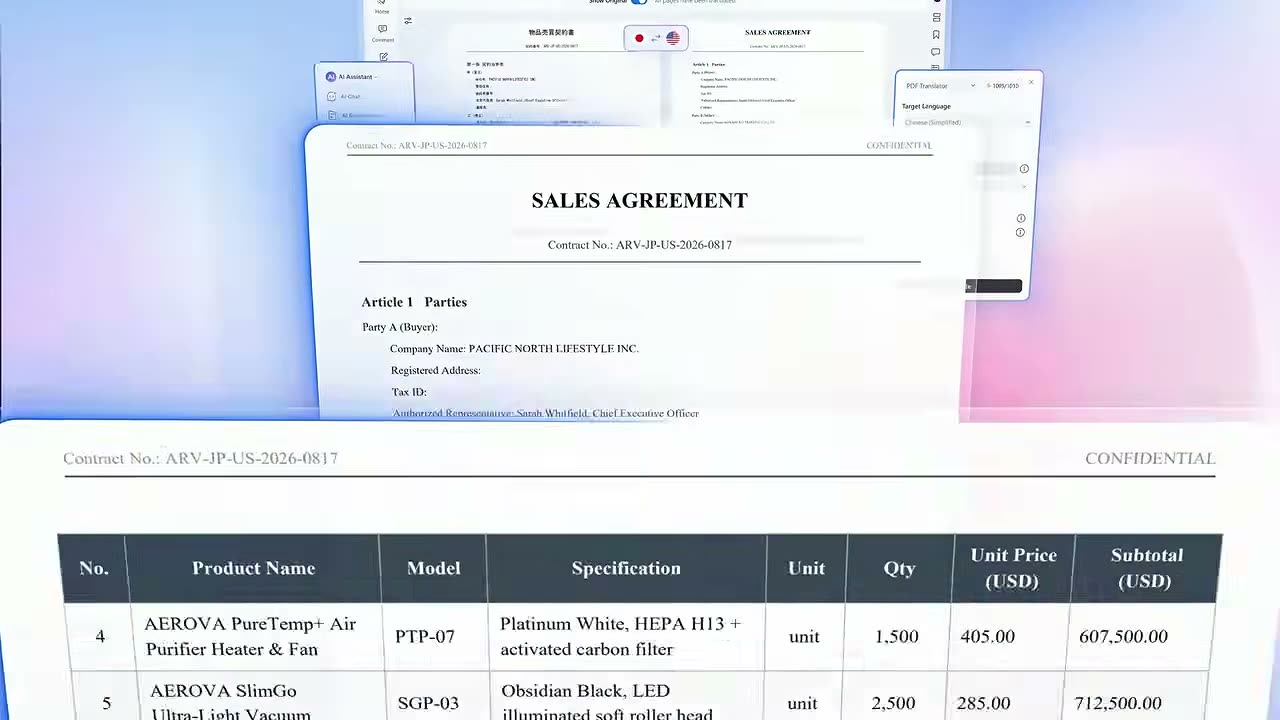
Pulling figures out of a quotation PDF and retyping them into a spreadsheet is slow, and every retyped number is a chance for a typo. Conversion exists to remove that chore.
PDFelement turns a PDF into Word, Excel, PNG or JPG, and goes the other way as well, creating PDFs from those formats in the same program. The point that matters is that conversion leaves the formatting alone.
Table-heavy documents are easier to rework as Excel, while a prose report is happier in Word. If you need a single page as a picture, export it as PNG or JPG instead.
A document that arrived as a scan holds its letters as pixels, so it will not convert cleanly on its own. Run OCR first and the numbers inside a table land in real spreadsheet cells.
When you have a folder of files, use batch conversion rather than opening them one at a time. With the current 20% off PDFelement, the licence covers the conversions that pile up every month.
Deals you can use now
| Deal | Code | Conditions |
|---|---|---|
| 20%20% off PDFelement | — | — |
 See PDFelement in detailEdit a PDF as easily as a Word fileNo original file? Edit the PDF itself · Let the AI write the email · Sign without printing · Scanned PDFs, turned into text
FAQ
Which formats can PDFelement convert to?
It converts PDF to Word, Excel, PNG, JPG and more, and it can create PDFs from those files too.
Can I convert several PDFs in one go?
Yes. Batch conversion handles multiple files at once.
Can a scanned PDF become an Excel file?
Run OCR on the scan first, then convert. The recognition covers 26 languages.
You might also like
 Edraw.AI7-day unlimited free trialDescribe it, and the diagram draws itself
 Dr.FoneExtra checkout code SAFDRFON for Dr.FonePhone recovery, repair and transfer toolkit
 MobileTransAn extra MobileTrans checkout code: SENMOBTRPhone-to-phone transfer and backup
 RecoveritExtra checkout code SAFRECOVGet deleted and formatted files back