
Sell tickets you cannot use on Ticombo
Plans changed? List the ticket, set the price, get paid.
- 5% off with code PSADMI
- 100% refund if tickets are late or invalid
- Verified sellers, capped markups
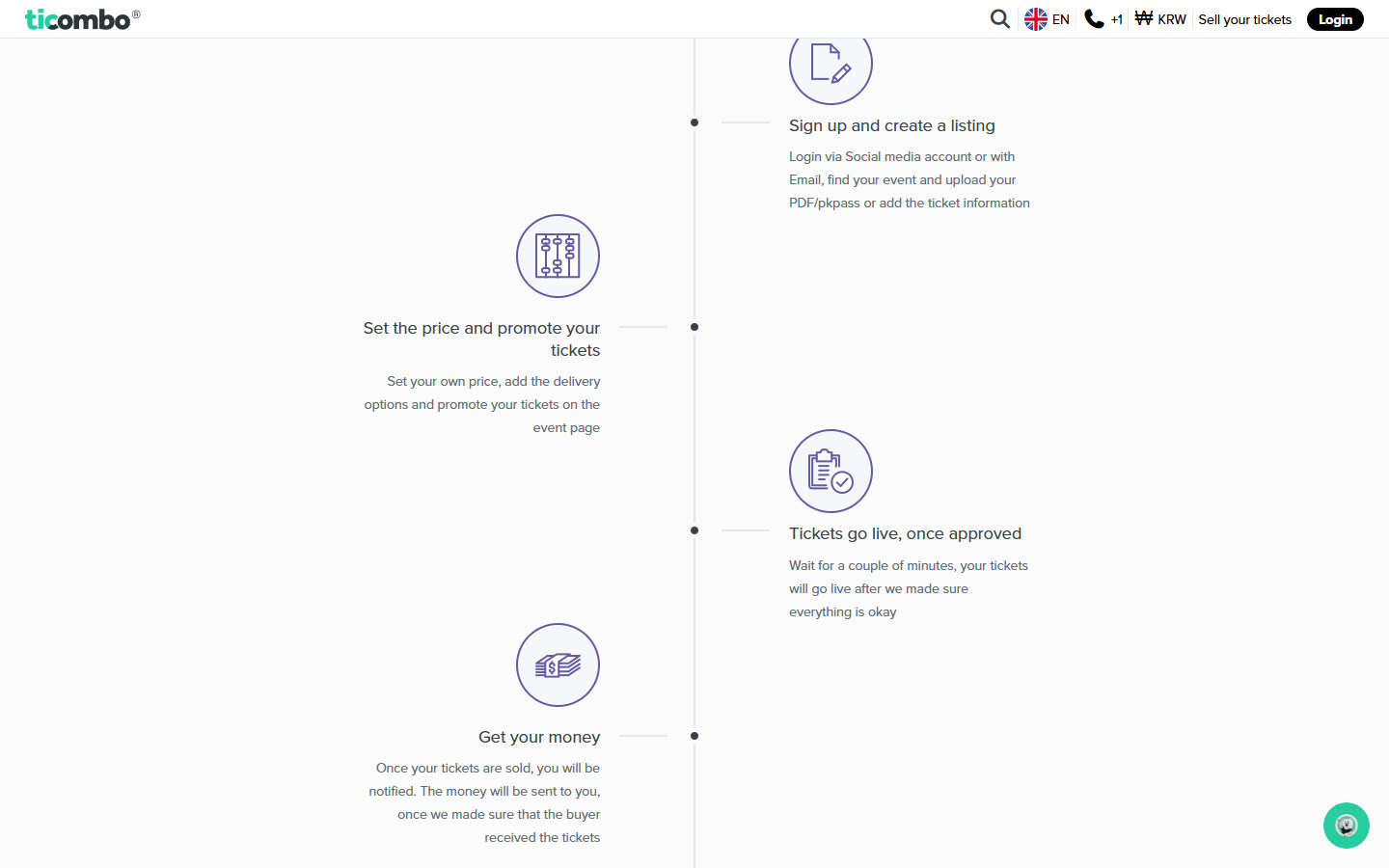
Ticombo is built for fans whose plans change. If you cannot go, you create a listing, find your event, upload the PDF or pkpass or type in the ticket details, and name your price.
You also choose the delivery options and can promote the ticket on the event page. A short check follows, a couple of minutes by Ticombo's own estimate, and then the ticket is live.
You keep control after listing. You can lower the price, pause the listing or remove a single ticket from it any time before it sells.
Payment is credited 5 days after the event once the tickets were delivered as agreed. Payouts need a completed KYC check that can take up to 7 days, so set up your profile before the first sale.
Buyers who reach your listing can use code PSADMI for 5% off, which makes a fairly priced ticket a little easier to sell.
Deals you can use now
| Deal | Code | Conditions |
|---|---|---|
| 5%Take 5% off your Ticombo order with code PSADMI | PSADMI | An extra code entered during checkout. |
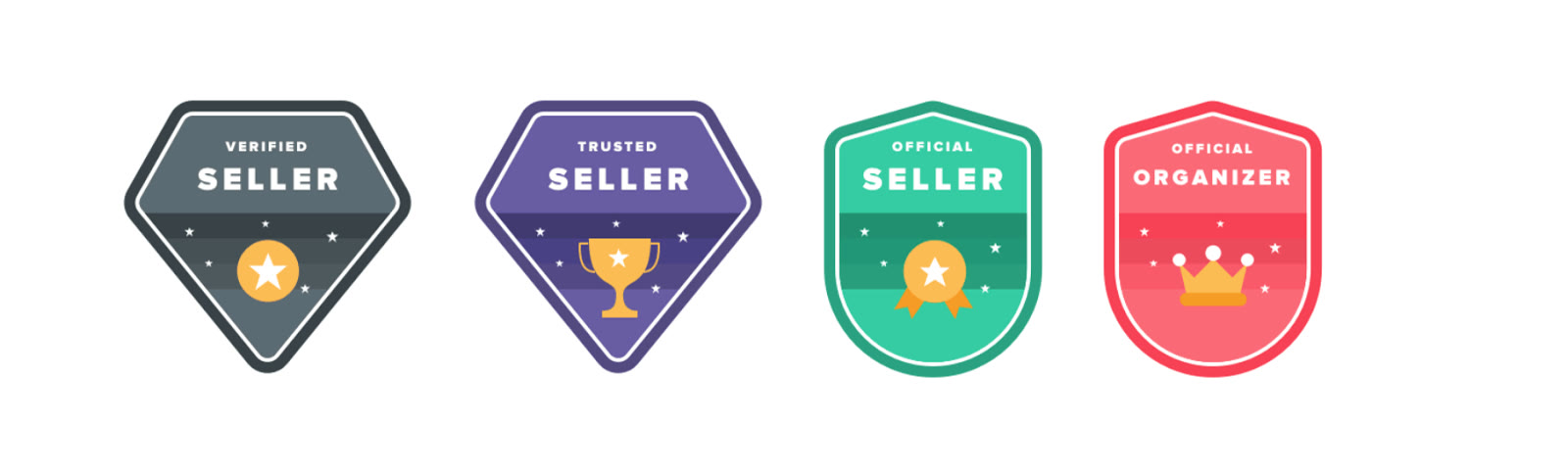 See Ticombo in detailResale tickets with a refund guaranteeFour seller levels you can read at a glance · List a ticket in four steps · A three-step checkout in under a minute · Fair, secure and easy by design
FAQ
What can I upload?
A PDF or pkpass file, or the ticket details typed in.
When do I get my money?
Funds are credited 5 days after the event, provided the tickets were delivered correctly.
Can I change the price later?
Yes, at any time before the tickets are sold.
You might also like
 AirHelp+11% off AirHelp+A membership that claims flight compensation for you
 AvitoVIP10% off a private transferIstanbul airport to your hotel in a chauffeured VIP van
 Auto EuropeGlobal sale for members: up to 15% off car hireCompare car hire, up to 15% off
 BikesBookingBook scooters and motorcycles in 1,700+ locations, free cancellation on most bookings and a best-price guaranteeScooters and bikes, price matched