
Video reference search
Describe the scene and look at frames that match it.
- 20% off Plus and Pro with GET20
- Save 20% on annual billing
- 600 or 1200 credits a month
Works on Plus and Pro subscriptions.
Get the discount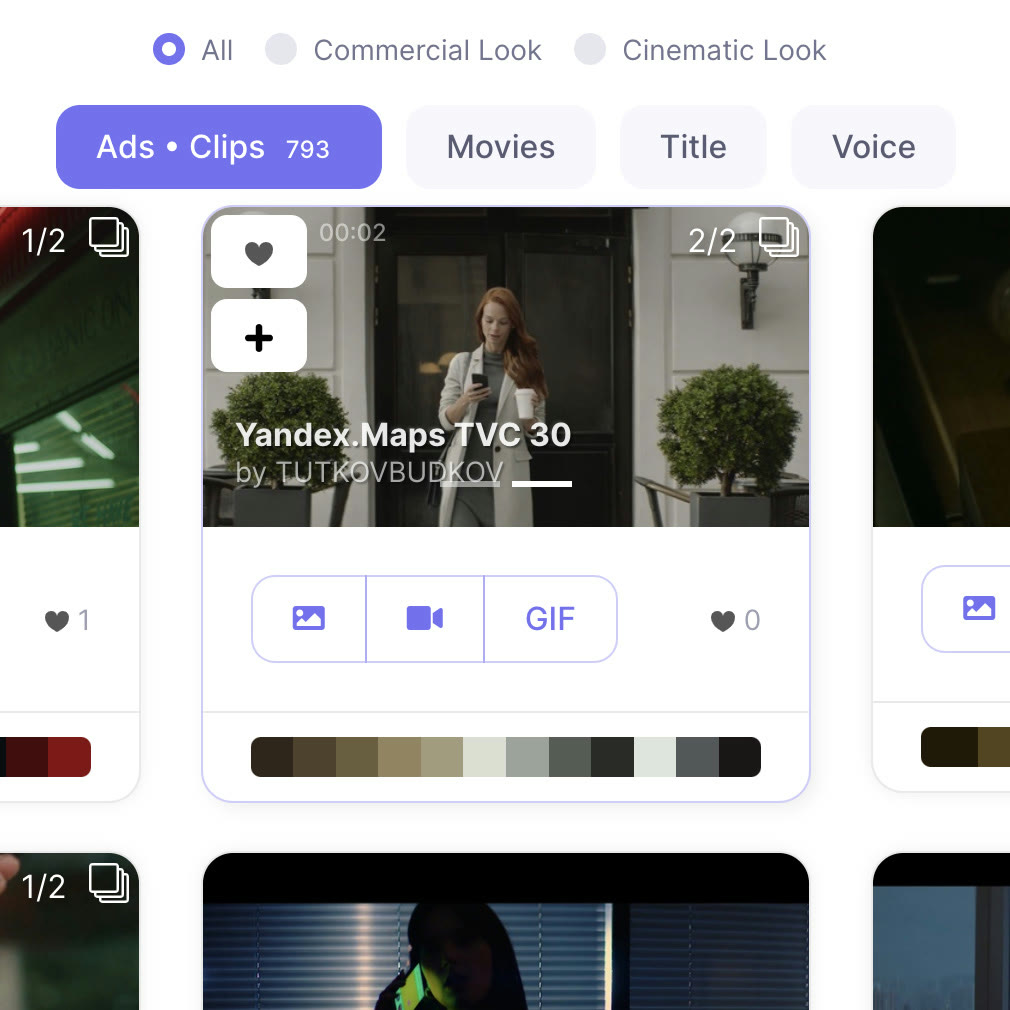
The hardest part of pre-production is showing the team a shot that only exists in your head. Refsee is a video reference search: describe the subject, setting, light or mood and it gathers similar frames.
Results are split into ads and music, movies and motion design, and you can search by title or by voiceover as well. Open a frame and you go straight to the source film that contains it.
Starting with a few words such as golden hour or night in Tokyo is fine, and once a cut feels right you can keep exploring references that share its look. Search that includes voiceover is part of Pro.
Plus starts at $28 a month, which fits anyone whose work is mostly reference research, and the code GET20 trims 20% off that.
Deals you can use now
| Deal | Code | Conditions |
|---|---|---|
| 20%20% off Plus and Pro subscriptions | GET20 | Works on Plus and Pro subscriptions. |
| 10%10% off Plus and Pro subscriptions | GET10 | Covers both the Plus and the Pro plan. |
| 20%Save 20% on annual billing | — | Applies to Plus and Pro annual subscriptions, shown under the annual option on the pricing page. |
 See Refsee in detailFind film and ad references by sceneAds, movies, titles and voice in one search · Filter by colour, ratio and shot framing · Collect frames into a moodboard · Cut the exact moment into a GIF
FAQ
What can I search by?
Scene descriptions, colour, mood, titles and voiceover lines.
Is voiceover search on every plan?
Advanced search including voiceover belongs to the Pro plan.
Can I reach the original from a result?
Yes. Opening a frame gives you a link to the film or ad it comes from.
You might also like
 EdrawMaxBundle price when EdrawMax is paired with EdrawMind or EdrawProjDesktop diagram maker with 210 diagram types
 VectorStockFree vectors section, plus plans from $9.99 a monthRoyalty-free vectors, free picks included
 PDFelement20% off PDFelementEdit a PDF as easily as a Word file
 Edraw.AI7-day unlimited free trialDescribe it, and the diagram draws itself