

Wondershare
Turn your slides into a presentation recording
Slides, speaker and microphone captured as you present.
- Extra checkout code MENDAAF
- Free plan: 10 min, 1080P, 30 FPS
- Paid: 4K, 120 FPS, no watermark
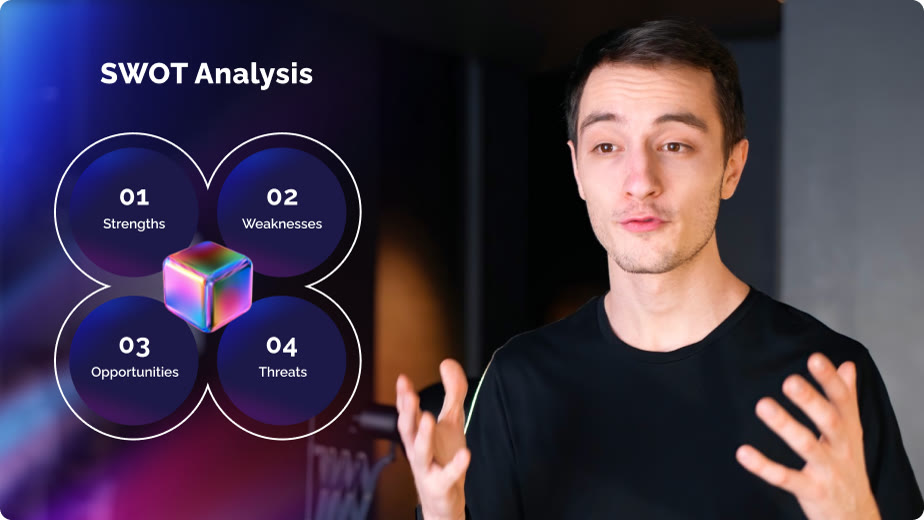
Presenting to a camera is easier when the layout is ready. DemoCreator's video presentation mode gives a canvas with preset desktop and webcam layouts, so your slide and your face share the frame as in the SWOT example above.
DemoAir carries a guide for recording a Google Slides presentation in the browser, and DemoCreator has a PowerPoint recording page. Either way you narrate once and share a finished recording instead of a deck.
The camera side adds a virtual background changer, so a shared office does not end up in the shot. An AI teleprompter can feed you the script while you look at the lens.
Presentory, Wondershare's online AI video presentation maker, is a related option when you would rather start from text. For recorded decks, MENDAAF is the extra code to try at checkout.
Deals you can use now
| Deal | Code | Conditions |
|---|---|---|
| CodeExtra checkout code MENDAAF for the DemoAir and DemoCreator store | MENDAAF | Wondershare publishes no amount for this code, so check your total at checkout. |
 See DemoAir in detailRecord screen, webcam and gamesPick what to record, then press REC · Edit in the same app · Point at the number that matters · Zoom and pan presets
FAQ
Can I record PowerPoint slides?
DemoCreator has a PowerPoint recording guide, and the video presentation mode has preset slide and camera layouts.
Can I hide my room behind me?
A virtual background changer is part of the camera recorder.
Can I record meeting presentations?
Yes, you can present inside a Zoom or Teams window and capture it like any other screen.
You might also like
 UniConverter15% off every licenceConvert, compress and record in one video toolbox
 FilmoraTwo-week free trialThe video editor where AI handles the tedious part
 Media.ioHalf price on the yearly planAn AI image and video studio in your browser
 InVideo30% off InVideo Studio monthlyTurn one prompt into a finished video